The Inbox requires the Communication Hub feature and a connected Google
account. If you don’t see Inbox in your sidebar, ask your administrator —
and see Email & calendar for connecting your
account.
Reading your mail
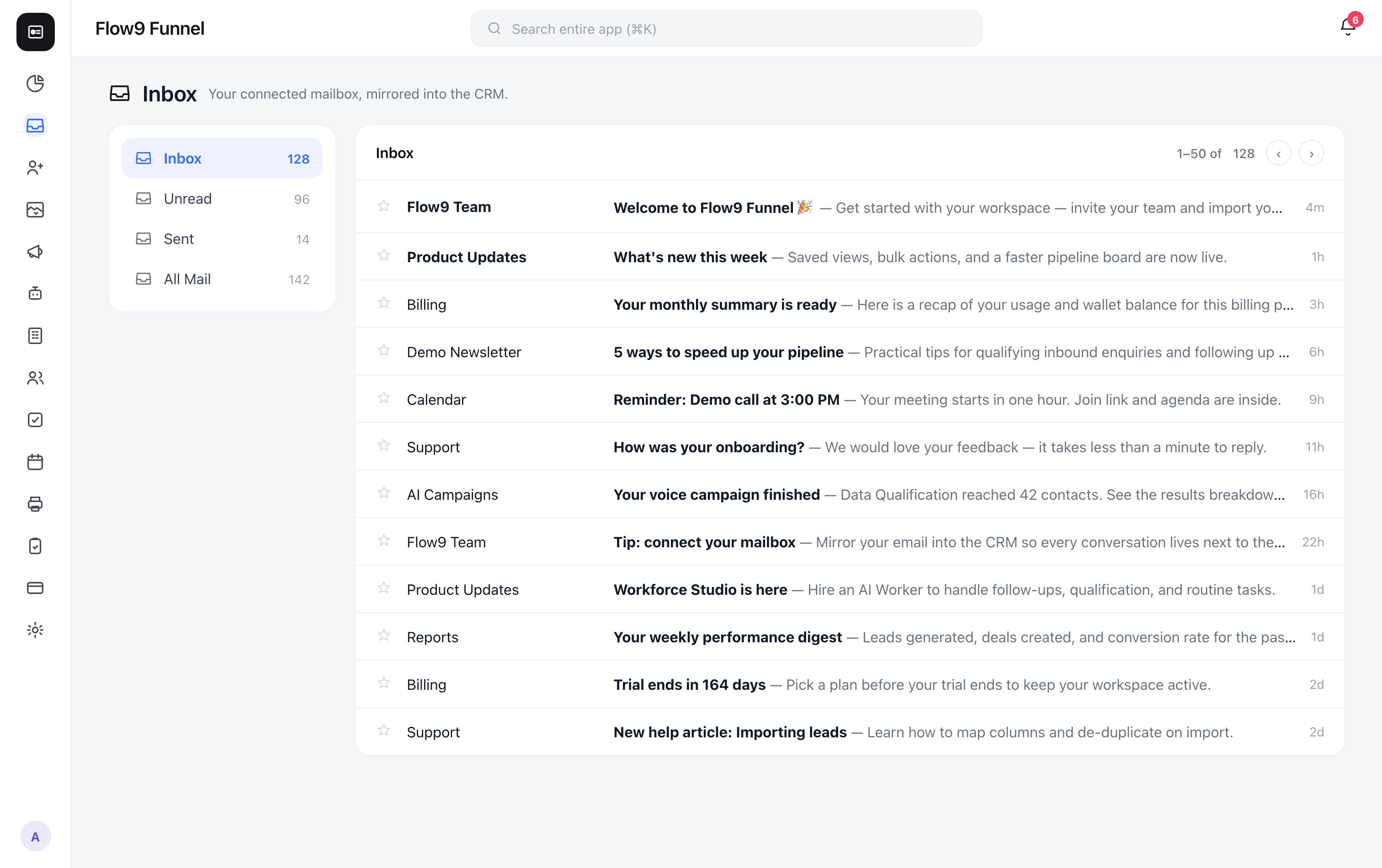
The left rail has Gmail-style folders — Inbox, Unread, Sent, and All Mail — with live counts. Each conversation row shows the sender, subject, a preview snippet, and, when Funnel has matched the conversation to a CRM record, a chip for the record type (Lead, Deal, Contact, or Account). Unread rows are bold; hover one to Mark as read. You can star conversations to keep track of them (stars are personal to your browser). Open a conversation to read the full thread chronologically, with each message tagged Received or Sent. If the thread is linked to a CRM record, a context panel at the top shows that record’s details.How conversations link to records
Linking is automatic: Funnel matches the email addresses on a conversation to your leads, deals, contacts, and accounts. Matched threads get the record chip and context panel — no manual filing needed.Replying
On a conversation matched to a lead or deal, click Reply. The composer gives you a rich-text editor (bold, italic, strikethrough, bulleted and numbered lists, links), and your draft autosaves as you type. Send becomes available once there’s a recipient and a message.Current limitations: replies are available on lead- and deal-matched threads
only, and email attachments aren’t yet viewable in the Inbox. An AI
Summarize button is visible but marked coming soon.