> ## Documentation Index
> Fetch the complete documentation index at: https://flow9.mintlify.site/llms.txt
> Use this file to discover all available pages before exploring further.
# Fax
> Send, receive, and track faxes from Flow9 Funnel — linked directly to your leads and accounts.
Flow9 Funnel includes a full fax module: send documents as faxes from your own
numbers, receive inbound faxes, and keep every fax linked to the CRM record it
belongs to.
 Fax is an optional feature. If you don't see **Faxes** in your sidebar, it
isn't enabled for your workspace yet — contact your administrator.
## Set up fax numbers (admins)
Before anyone can send a fax, at least one of your workspace's phone numbers
must be fax-enabled:
Go to **Faxes → Settings** (Company Admins only).
Toggle fax on for the number you want to send from. Your numbers themselves
are purchased and managed under **AI Campaigns → Phone Numbers**; this page
only controls which of them can fax.
Mark one number as the **default fax number** — it will be pre-selected
whenever someone sends a fax.
## Send a fax
In **Faxes**, click **Send fax**. You can also fax directly from a lead or
account record.
Your default fax number is pre-selected; pick a different one if needed.
Type the recipient's fax number — pick the **country code** from the
dropdown, then the number. Or click **CRM** to search your leads and
accounts by name or number; choosing one fills the number *and* links the
fax to that record.
Upload the document as a **PDF** (up to **50 MB**). Other file types aren't
supported — export to PDF first.
Optionally set the quality and a caller ID name, then click **Send**. The
fax is queued and delivered in the background.
## Receive faxes
Inbound faxes to your fax-enabled numbers appear automatically in the fax list,
where you can open and download the document. Faxes that need attention are
flagged **Needs review**.
## Track delivery
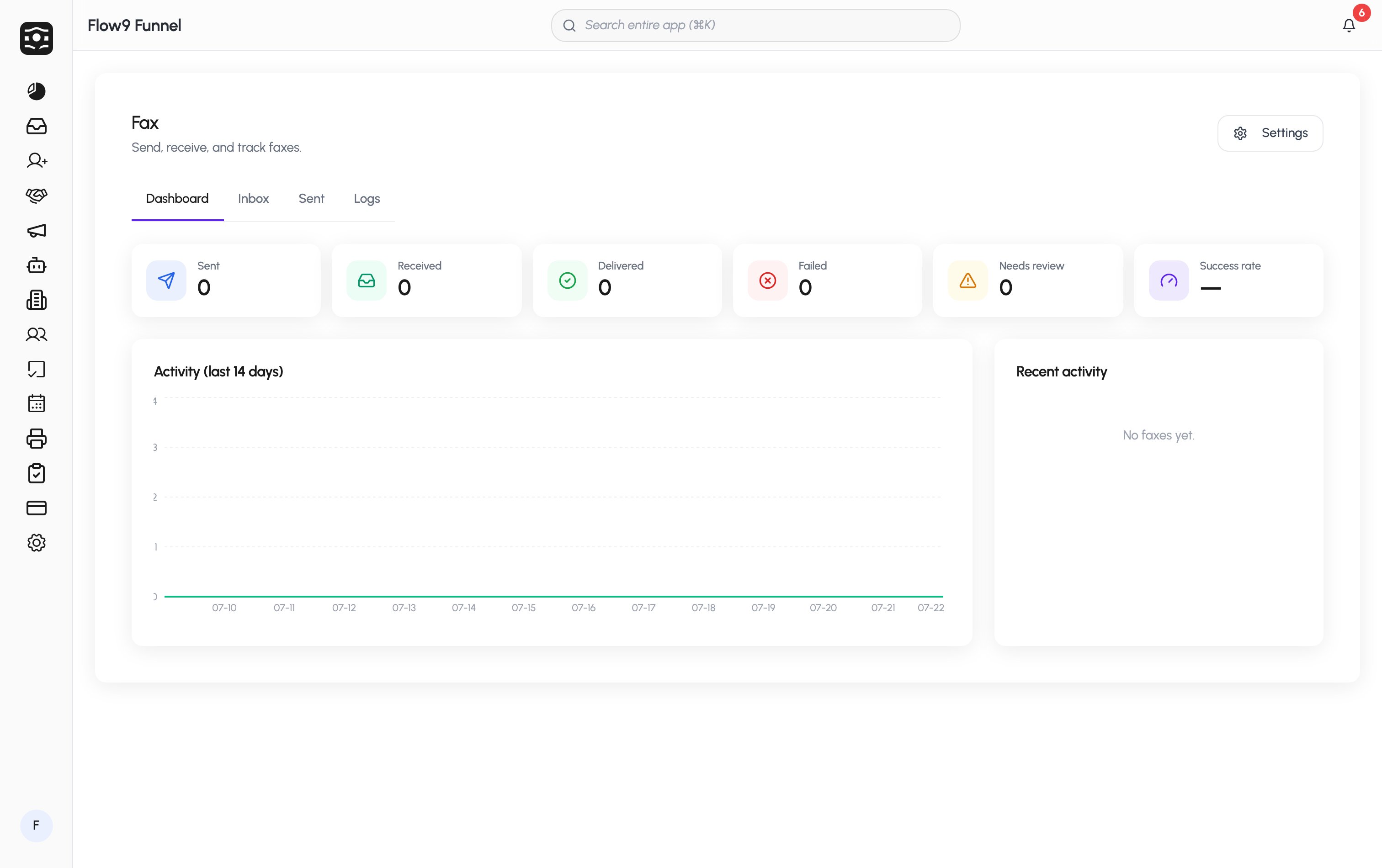
The **Faxes** dashboard shows your sent, received, delivered, and failed
counts, your overall success rate, and a 14-day activity trend. Open any fax to
see its full status history — and if a fax failed, you can retry it from its
detail page.
## Billing
Faxes are billed **per page**, in **both directions** — outbound faxes are
charged per delivered page, and inbound faxes per received page — against your
workspace **wallet** at your plan's rates.
Page count and rates are handled automatically; you'll see fax usage draw down
the same balance as your other channels. See [Billing & wallet](/admin/billing)
for top-ups and how consumption works.
## Troubleshooting
| Symptom | What to check |
| ------------------------------------- | -------------------------------------------------------------------------------------------------------------------------- |
| "No fax-enabled numbers" when sending | An admin needs to enable fax on a number under **Faxes → Settings**. |
| Send button stays disabled | The recipient number must be complete and valid (country code + number), and a PDF must be attached. |
| Fax failed | Open the fax's detail page for the failure reason, then retry. Busy or unreachable fax machines are the most common cause. |
Fax is an optional feature. If you don't see **Faxes** in your sidebar, it
isn't enabled for your workspace yet — contact your administrator.
## Set up fax numbers (admins)
Before anyone can send a fax, at least one of your workspace's phone numbers
must be fax-enabled:
Go to **Faxes → Settings** (Company Admins only).
Toggle fax on for the number you want to send from. Your numbers themselves
are purchased and managed under **AI Campaigns → Phone Numbers**; this page
only controls which of them can fax.
Mark one number as the **default fax number** — it will be pre-selected
whenever someone sends a fax.
## Send a fax
In **Faxes**, click **Send fax**. You can also fax directly from a lead or
account record.
Your default fax number is pre-selected; pick a different one if needed.
Type the recipient's fax number — pick the **country code** from the
dropdown, then the number. Or click **CRM** to search your leads and
accounts by name or number; choosing one fills the number *and* links the
fax to that record.
Upload the document as a **PDF** (up to **50 MB**). Other file types aren't
supported — export to PDF first.
Optionally set the quality and a caller ID name, then click **Send**. The
fax is queued and delivered in the background.
## Receive faxes
Inbound faxes to your fax-enabled numbers appear automatically in the fax list,
where you can open and download the document. Faxes that need attention are
flagged **Needs review**.
## Track delivery
The **Faxes** dashboard shows your sent, received, delivered, and failed
counts, your overall success rate, and a 14-day activity trend. Open any fax to
see its full status history — and if a fax failed, you can retry it from its
detail page.
## Billing
Faxes are billed **per page**, in **both directions** — outbound faxes are
charged per delivered page, and inbound faxes per received page — against your
workspace **wallet** at your plan's rates.
Page count and rates are handled automatically; you'll see fax usage draw down
the same balance as your other channels. See [Billing & wallet](/admin/billing)
for top-ups and how consumption works.
## Troubleshooting
| Symptom | What to check |
| ------------------------------------- | -------------------------------------------------------------------------------------------------------------------------- |
| "No fax-enabled numbers" when sending | An admin needs to enable fax on a number under **Faxes → Settings**. |
| Send button stays disabled | The recipient number must be complete and valid (country code + number), and a PDF must be attached. |
| Fax failed | Open the fax's detail page for the failure reason, then retry. Busy or unreachable fax machines are the most common cause. |