> ## Documentation Index
> Fetch the complete documentation index at: https://flow9.mintlify.site/llms.txt
> Use this file to discover all available pages before exploring further.
# Deals
> Run your sales pipeline — statuses, priorities, revenue forecasting, and everything on the deal page.
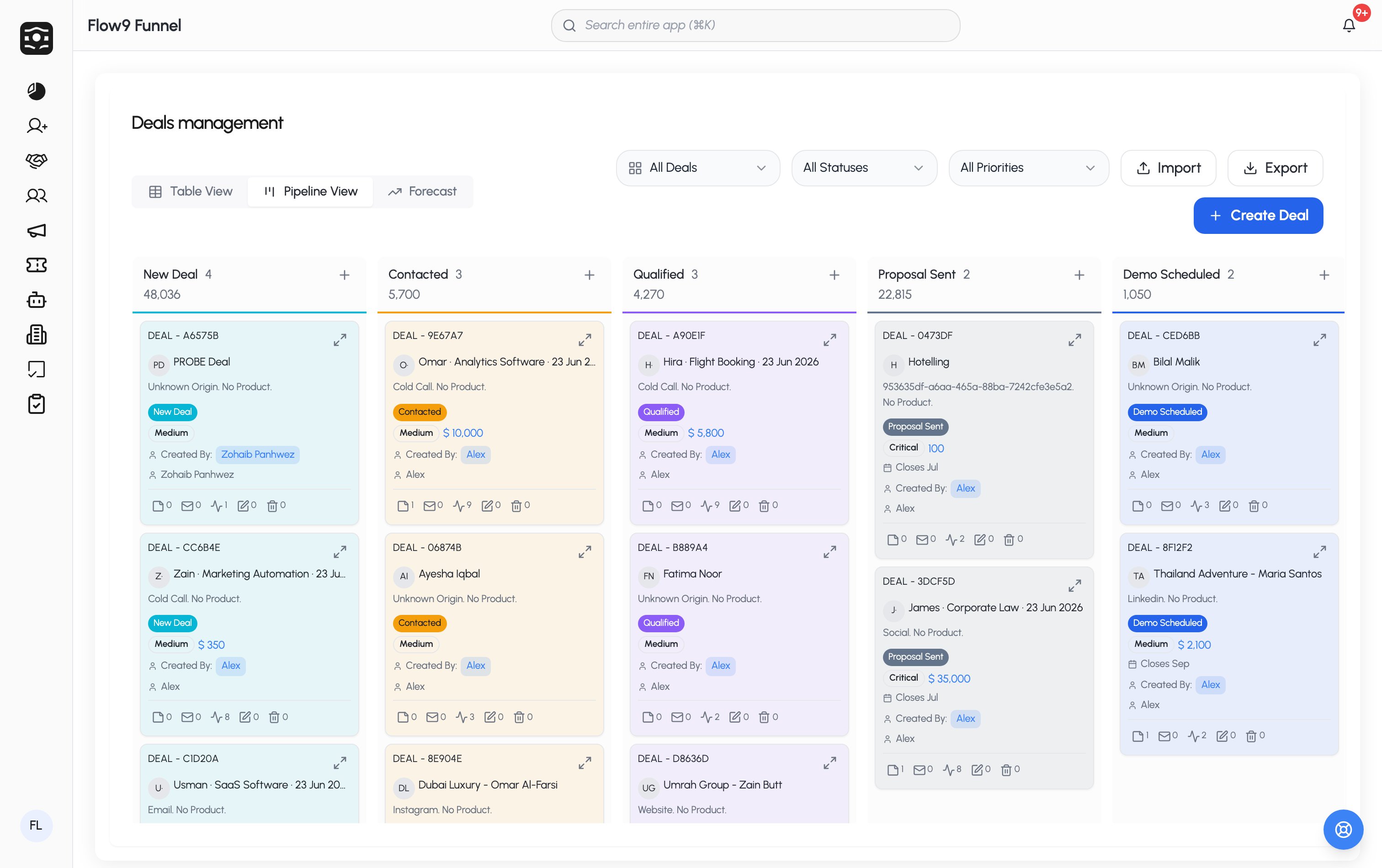
Deals are your opportunities. View them as a **table**, a **Pipeline**
(kanban), or a **Forecast** view, and filter by ownership, status, and
priority.
 ## Create a deal
Click **Create Deal**. The key fields:
* **Customer** — search for one, or use **Create New Customer** inline.
* **Product Type** and **Product** — picking a type filters the products.
* **Status** — your workspace's pipeline stages; stages can require certain
fields before a deal may enter them.
* **Priority** — your workspace's priority levels.
* **Selling Price** (with currency) and **Revenue Forecast** — the forecast is
calculated for you: selling price × the probability your admin assigned to
the current status (see below). It updates as the deal moves stages.
* Plus: account link, assignee, visibility, lead source, custom fields,
inquiry details, and notes.
The deal's name is generated automatically from the customer, product type,
and date. Duplicate checking, when enabled, works like it does for
[leads](/guide/crm/leads).
## Forecasting with weightage
Each deal status carries a **weightage** — the percentage of the selling price
counted as forecast revenue (e.g. "Negotiation" at 60%). That's what powers
the Revenue Forecast field and the **Forecast view**, giving you a
probability-adjusted pipeline value rather than raw totals.
## Losing a deal honestly
Moving a deal to a **Lost** status requires a **Reason of Lost** from your
workspace's list — so your loss reporting stays meaningful.
## The deal page
A deal's detail page is your workspace for that opportunity, with tabs for:
**Deal Details** · **Activities** (log calls, meetings, emails — each
activity type your admin enabled, with counts per type) · **Deal Team** ·
**Contacts** · **Conversations** · **Products** · **Quotes** · **Files** —
plus the deal's **invoices** and **tasks**, and a **History** tab recording
every property change.
Quotes with big discounts may need sign-off before you can invoice — see
[Invoices & approvals](/guide/crm/invoices-and-approvals).
## Create a deal
Click **Create Deal**. The key fields:
* **Customer** — search for one, or use **Create New Customer** inline.
* **Product Type** and **Product** — picking a type filters the products.
* **Status** — your workspace's pipeline stages; stages can require certain
fields before a deal may enter them.
* **Priority** — your workspace's priority levels.
* **Selling Price** (with currency) and **Revenue Forecast** — the forecast is
calculated for you: selling price × the probability your admin assigned to
the current status (see below). It updates as the deal moves stages.
* Plus: account link, assignee, visibility, lead source, custom fields,
inquiry details, and notes.
The deal's name is generated automatically from the customer, product type,
and date. Duplicate checking, when enabled, works like it does for
[leads](/guide/crm/leads).
## Forecasting with weightage
Each deal status carries a **weightage** — the percentage of the selling price
counted as forecast revenue (e.g. "Negotiation" at 60%). That's what powers
the Revenue Forecast field and the **Forecast view**, giving you a
probability-adjusted pipeline value rather than raw totals.
## Losing a deal honestly
Moving a deal to a **Lost** status requires a **Reason of Lost** from your
workspace's list — so your loss reporting stays meaningful.
## The deal page
A deal's detail page is your workspace for that opportunity, with tabs for:
**Deal Details** · **Activities** (log calls, meetings, emails — each
activity type your admin enabled, with counts per type) · **Deal Team** ·
**Contacts** · **Conversations** · **Products** · **Quotes** · **Files** —
plus the deal's **invoices** and **tasks**, and a **History** tab recording
every property change.
Quotes with big discounts may need sign-off before you can invoice — see
[Invoices & approvals](/guide/crm/invoices-and-approvals).