> ## Documentation Index
> Fetch the complete documentation index at: https://flow9.mintlify.site/llms.txt
> Use this file to discover all available pages before exploring further.
# Customers & accounts
> People and the organizations they belong to — how customer and account records work together.
Funnel separates **people** from **organizations**:
 * A **Customer** is a person — the contact you sell to.
* An **Account** is a company or organization. Customers, leads, and deals can
all link to an account, giving you the B2B roll-up view.
## Customers
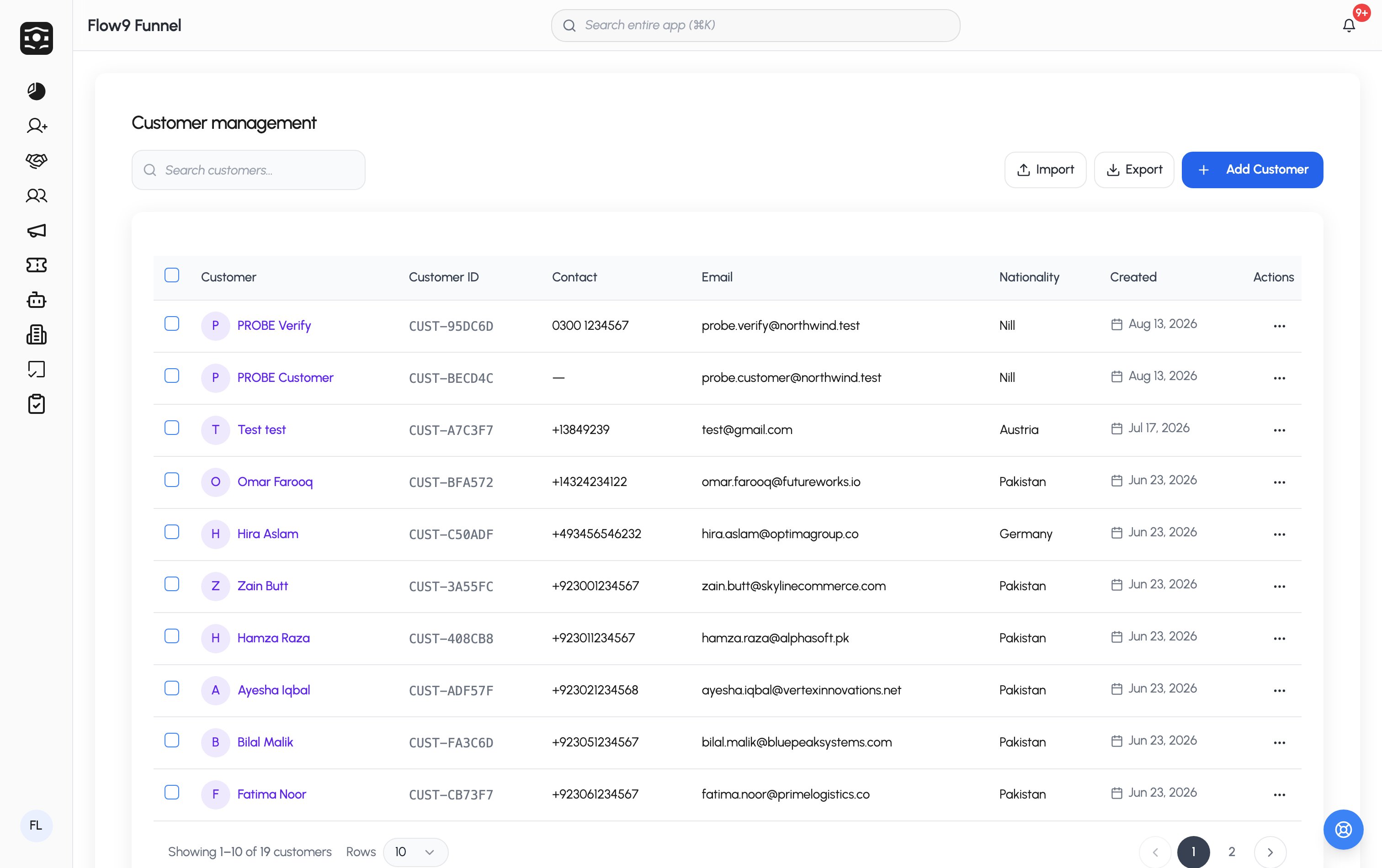
A customer record holds the person's name, email, mobile, nationality,
region, preferred currencies, comments, and **social media links** (Facebook,
WhatsApp, Instagram, LinkedIn), plus your workspace's custom fields. Each
customer can be assigned to a team member and linked to an account.
Customers are usually born from [converting a lead](/guide/crm/leads), but you
can create them directly too. Duplicate checking flags a match if **any**
configured field matches an existing customer. Like leads, customers can get
rule-based **tags** automatically.
The customer page shows their details and activity history, with quick
actions to call, text, or email them.
## Accounts
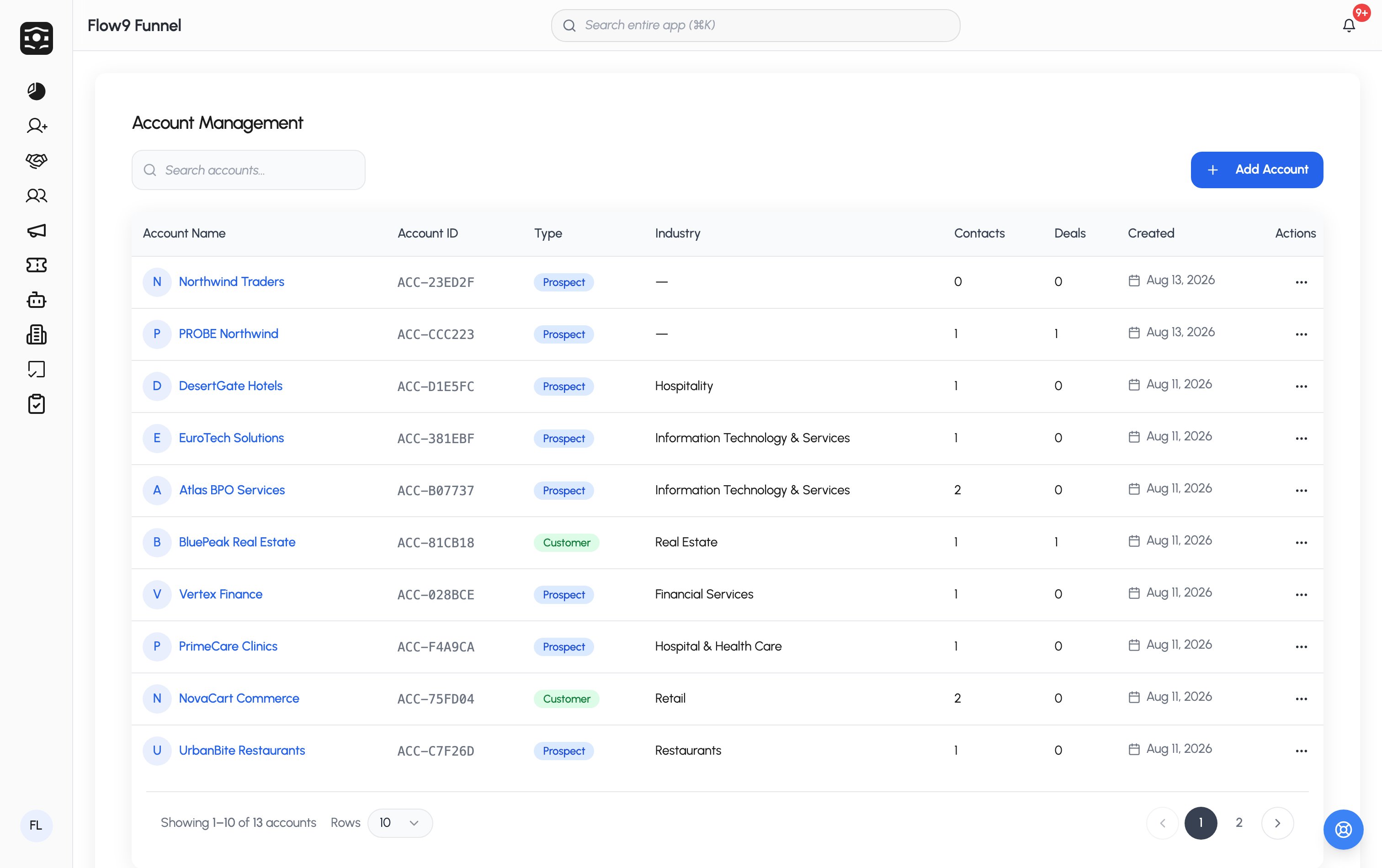
An account record covers the organization: name, **type** (Prospect,
Customer, Partner, Vendor), industry, website, contact details, **company
size** and **annual revenue** bands, billing address, owner, status, and
custom fields.
Two structural features make accounts powerful:
* **Related records** — the accounts list shows each account's linked
contacts and deals at a glance.
* **Parent accounts** — accounts can nest under a parent, so subsidiaries and
branches roll up to the organization above them.
* A **Customer** is a person — the contact you sell to.
* An **Account** is a company or organization. Customers, leads, and deals can
all link to an account, giving you the B2B roll-up view.
## Customers
A customer record holds the person's name, email, mobile, nationality,
region, preferred currencies, comments, and **social media links** (Facebook,
WhatsApp, Instagram, LinkedIn), plus your workspace's custom fields. Each
customer can be assigned to a team member and linked to an account.
Customers are usually born from [converting a lead](/guide/crm/leads), but you
can create them directly too. Duplicate checking flags a match if **any**
configured field matches an existing customer. Like leads, customers can get
rule-based **tags** automatically.
The customer page shows their details and activity history, with quick
actions to call, text, or email them.
## Accounts
An account record covers the organization: name, **type** (Prospect,
Customer, Partner, Vendor), industry, website, contact details, **company
size** and **annual revenue** bands, billing address, owner, status, and
custom fields.
Two structural features make accounts powerful:
* **Related records** — the accounts list shows each account's linked
contacts and deals at a glance.
* **Parent accounts** — accounts can nest under a parent, so subsidiaries and
branches roll up to the organization above them.